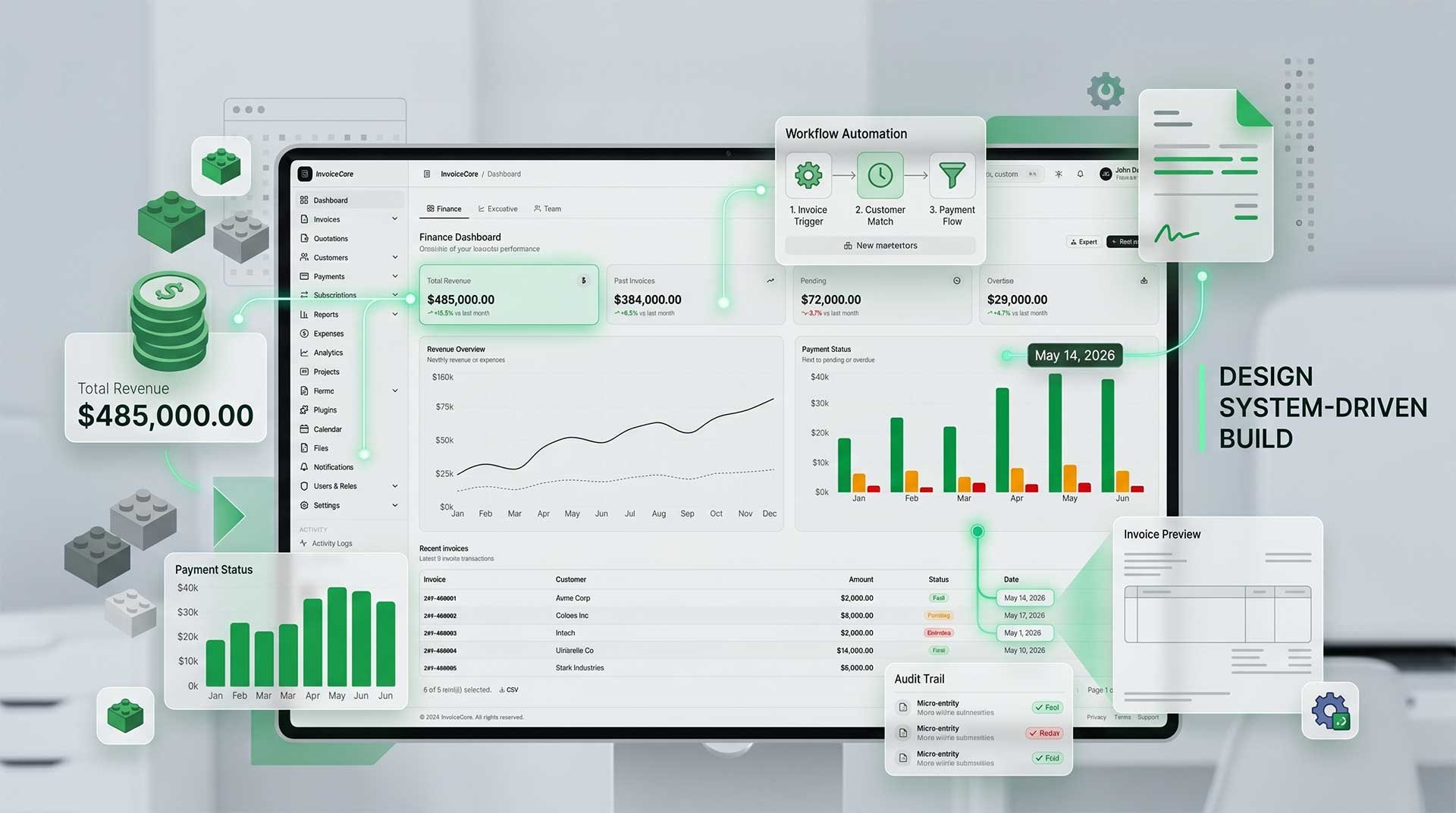
Check The Template Here : https://github.com/luftinur/next-js-invoice-web-admin
Why Design Systems Make Building Admin Templates Way More Seamless
In the past, building an admin dashboard was synonymous with copy-pasting components everywhere. Today, the approach has shifted significantly—especially as more developers embrace component-based architecture in frameworks like Next.js, React, or Vue.
Recently, I’ve been developing a component-based admin template for an invoice management system. My goal wasn't just to build the app itself, but to create a reusable admin ecosystem that can be leveraged across multiple future projects.
To be honest, once the workflow was organized through a design system, development became infinitely more seamless.
Why Do So Many Admin Dashboards Feel "Random"?
Sometimes you encounter a modern admin dashboard that looks incredibly polished. But then, there are others that feel "off" due to:
- Inconsistent color palettes
- Varying spacing and margins
- Arbitrary button sizes
- Card styles that change on every page
- Desynchronized table designs
- A messy, unoptimized dark mode
- Components that become harder to maintain over time
This usually happens when a project is built without a clear design system foundation. Eventually, every time a new feature is needed, the mindset becomes:
“Let’s just create a new component.”
Over time, the project devolves into a chaotic mix of elements with no clear direction.
Design Systems Aren't Just for Designers
Many people assume a design system is strictly a Figma-related concern. In reality, for a developer, a design system is the literal blueprint for development.
This is especially true when working within a component-based architecture. Once tokens, spacing, typography, layouts, and component patterns are clearly defined:
- Development is faster
- Components are truly reusable
- The UI remains consistent throughout
- Scaling the project becomes effortless
- Onboarding new developers is smoother
- Maintainability is significantly healthier
The most impactful result? The project stops feeling "random."
Component-Based Architecture is a Game Changer
Many modern dashboards are shifting toward a component-first approach, similar to established ecosystems like:
- Tabler
- shadcn/ui
- Mantine
- Chakra UI
- Tailwind UI
Instead of building entire pages from scratch repeatedly, we focus on building:
- Reusable cards
- Scalable tables
- Standardized form patterns
- Modular analytics widgets
- Flexible layout sections
From there, it’s just a matter of assembling them to meet the page's requirements. It feels a lot like playing with Lego.
Case Study: Invoice Management System
Since I’m building an admin template specifically for invoice management, the component structure is tailored to those needs.
Financial Components
- Invoice status badges
- Payment progress bars
- Tax summaries
- Revenue cards
- Overdue indicators
- Billing summaries
Data Components
- Transaction and customer tables
- Invoice timelines
- Payment histories
- Activity logs
Layout Components
- Finance dashboard layouts
- Compact table views
- Invoice preview layouts
- Fullscreen PDF views
The Best Part: Development Becomes More Relaxed
This is one of the most noticeable benefits. If the component foundation and design system are solid, development feels much more "chill." Developers don't have to overthink every time they create a new page.
You simply:
- Select your components
- Combine the layout
- Map the data
- Done.
Even styling becomes entirely predictable.
Anti “AI Slop” Development
Currently, more people are using AI to generate UIs. The problem is that the results often suffer from:
- Inconsistency and generic aesthetics
- Disconnected component logic
- Erratic spacing and broken accessibility
- Naming chaos in the codebase
This is why a design system remains essential. AI can accelerate development, but the architectural foundation must be human-led. Without it, the end result is often:
“It looks modern, but it feels wrong.”
Built Using Open-Source Models
Interestingly, part of this workflow was developed using free, open-source code models. The process is surprisingly pleasant for brainstorming component structures, defining layout hierarchies, and generating base architectures.
However, AI is not a replacement for a system. What makes a project truly scalable are the design system, the component architecture, consistency, and deliberate developer decisions.
Closing Thoughts
The larger an admin dashboard project grows, the more vital a clear design system becomes. Ultimately, what drives fast development isn't just a new framework or an AI tool—it’s how organized your component ecosystem is from day one.
After adopting this workflow, it’s impossible to go back to the old, "random" way of building.
Check The Template Here : https://github.com/luftinur/next-js-invoice-web-admin